Technician end-of-day handover
Before the device goes on charge, check what the office received and who owns the unfinished work. A completed run can still have loose ends.

The last truck gets back, the technician puts the phone on charge and the office starts tomorrow’s bookings. A missing photo, a locked gate and a repair needing approval can all be left behind in that gap.
A handover should be short enough that people actually do it. Work from the day’s visit list and focus on exceptions. Routine details belong in the job record; the conversation is for work that hasn’t arrived, couldn’t be completed or needs somebody else’s decision.
Check what reached the office
Start with the device queue while there’s a connection. Send the saved work, then look for anything still waiting or needing review. Photos can take longer than form answers, so wait for the relevant uploads to finish before assuming the report evidence is complete.
Have the office open the day’s jobs and compare them with the technician’s list. This catches a visit recorded on the wrong booking as well as a job that never arrived. Check the final job in particular; it may have been completed after the device’s last successful sync.
If something can’t be sent, record which job and item are affected and assign the recovery step. Keep the device available under your supplier’s instructions. Re-entering the visit from memory or clearing the app can make the problem harder to untangle. Our offline field app checklist helps establish a tested process before the crew relies on it.
Explain incomplete visits
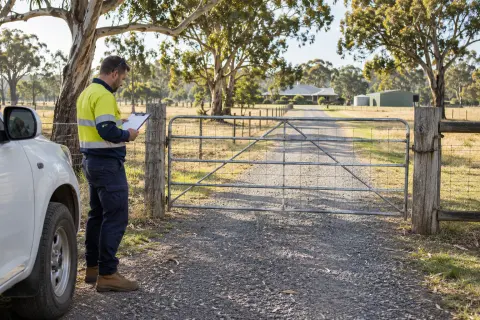
Review jobs the technician couldn’t complete. Capture what happened, what work was recorded and what must change before another attendance. A brief note saying no access is a starting point; the dispatcher also needs the new arrangement and who will confirm it.
Keep the outcome accurate. Arrival at a site doesn’t mean the booked service was completed, and a customer cancelling on arrival is different from a technician finding the wrong system information. Use the reason to decide the next action, rather than forcing every visit into the same finished state.
If the appointment needs moving, give the task to a person and agree when they will contact the customer. The return visit should carry the corrected instructions instead of copying the same problem forward.
Hand over faults
Open the defects recorded during the run. Check that each identifies the site and system and has enough evidence for someone else to understand the issue. Confirm what the technician told the owner so the office doesn’t start the next conversation without context.
Assign any quote, assessment or repair booking that follows. A defect can remain open while the ordinary service closes. The defect follow-up guide explains how to track that separate work through approval and attendance.
Urgent matters should already have followed your business’s escalation process during the day. Handover is the final check for outstanding actions, not a reason to hold an urgent message until the truck returns.
Clear report questions
The office reviewer should flag missing answers or unclear captions while the technician still remembers the visit. Ask specific questions and record the clarification against the job. Avoid a second set of notes that sits only in a chat thread or on someone’s desk.
Open any attachments that need explaining. Confirm who signed where a signature is unclear, and whether all expected files have uploaded. The service report checklist can guide this review without asking the technician to repeat the whole visit verbally.
Separate field completion from report delivery. The office needs to know which documents still require review or submission even when every technician has finished their run.
Leave tomorrow’s crew useful notes
Correct stale access instructions and system details discovered during the day. Distinguish a lasting site correction from a one-off arrangement so future bookings don’t inherit today’s temporary instructions.
Finish with a small list of outstanding actions, each with a name and date. Review those items at the next handover until they’re resolved. That makes the routine useful to the dispatcher covering leave, rather than depending on one person remembering every conversation.
Rangefront Waste queues offline field work and shows waiting items in Saved work. Finished jobs move to Needs review, where the office checks forms, attachments and defects before approval. Test that exchange in septic service software with your actual crew: the handover is working when a colleague can pick up the remaining tasks from the records alone.