Managing several tanks at one property
One address can have several tanks with different work due. Give each system its own history and make the booking clear enough for a different technician.
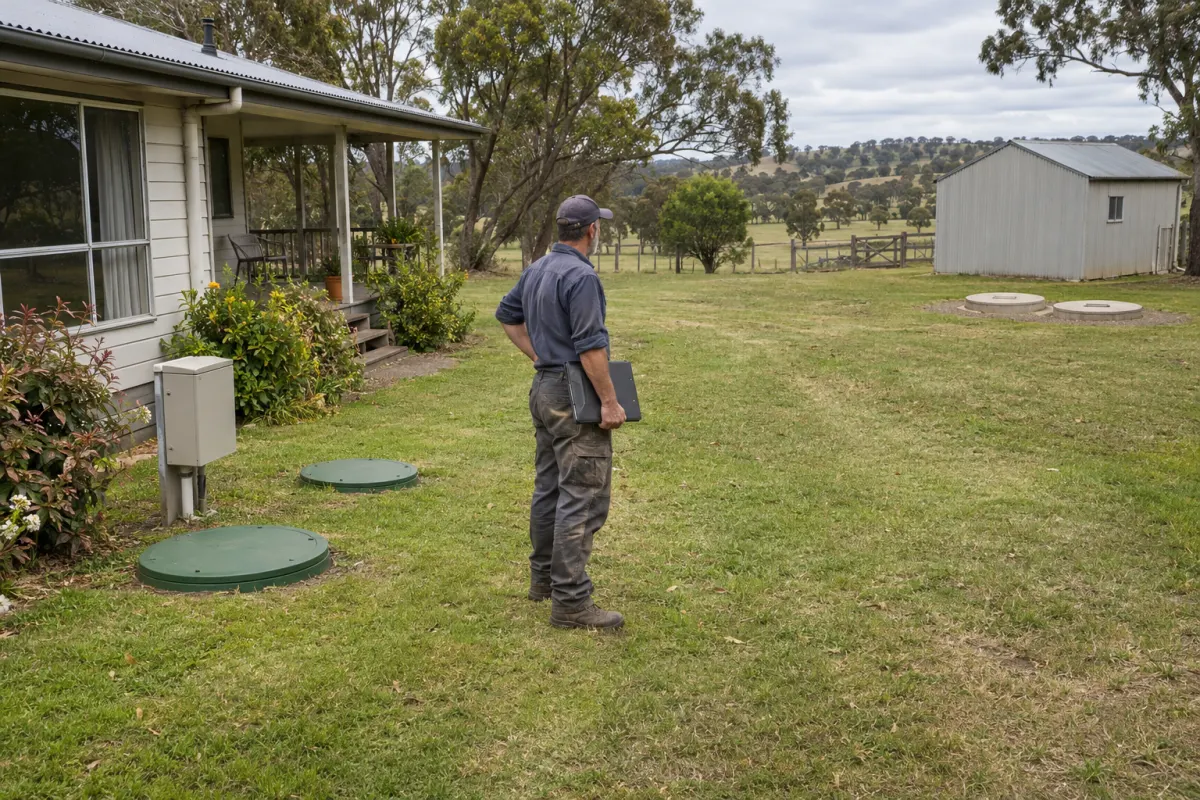
One property has a septic tank near the house, a treatment plant serving another building and a holding tank elsewhere on the block. A booking labelled service the tank leaves the technician to work out which one the office meant.
Treat the property as the location and each tank or treatment unit as a separate system. That keeps work, history and future dates attached to the asset that was actually serviced.
Keep three levels
The customer is the person or organisation responsible for the account. The site is the physical property. The system is the tank or treatment unit at that property. Keep all three linked without copying the customer into another record for each tank.
A customer can have several sites, and a site can have several systems. That structure lets the office answer different questions: what this customer owes, what work is booked at this address and when this particular unit was last serviced.
Give every system a stable reference, even if it also has a descriptive name. Names such as rear tank are helpful until the property is extended and there are two rear tanks. A reference and location detail give staff a second way to check.
Make identification practical
Record the type, brand, model and serial number where available. Add the system’s location, not just the street address or the point where the truck enters. A location photo can help a technician unfamiliar with the site identify the right cover or unit.
Keep access notes at the property level when they apply to the whole site. Put system-specific details with the relevant unit. That avoids telling every technician about an obstruction that only affects one tank while still showing the gate instructions for all visits.
If physical tags are used, agree how they map to the records and what staff do when a tag is missing or damaged. Test the match on site before using a scanned code as the only way to identify the system. Rangefront Waste prints QR labels for A4 sticker sheets or a label printer, and gives any system without a tag its own code when you print. From a job, the field app scans a tag and says whether it is the job’s system.
Give each system its dates
Last pump-out and last service are different events. Keep the history and next due dates for each system, based on the work and interval relevant to it. Don’t update every tank at the property when one visit is finished.
Check recurring plans against those records. A combined visit may be convenient for travel, but it still needs a clear list of systems and work. If one part can’t be completed, the remaining due work should stay visible.
Our septic service software page explains the distinction between due work and an office-scheduled booking. It’s worth testing with a multi-system property before enabling automatic draft creation across an imported list.
Name the work in the booking
Choose the intended system when creating a job. Give the technician enough information to verify it on arrival, including the work type and relevant previous findings. If several units are in scope, make that explicit in the agreed work and the forms the crew needs.
When the caller isn’t sure which tank has a problem, record that uncertainty rather than selecting a familiar system at random. Leave an office or field check to confirm it. Fixing a wrong association after a report is issued is much harder than clarifying it during the booking.
Review the completed record before reporting or billing. The correct customer name can hide an incorrect system selection. Check the asset reference against the field notes, photos and form answers.
Keep faults with the unit
A defect belongs to the affected system. The next technician should be able to find it even if the service job is closed or another crew takes over the property. Record the follow-up decision separately from the original finding.
Rangefront Waste stores several systems under a site, with individual service and pump-out dates, identifiers and location details. The job screen names the system being serviced and lists the site’s other systems apart. Each system keeps its own photos, including one of its serial plate, and notes for the office, the technician and the customer. Site sheets show their systems and recent bookings, and defects can remain open against the affected unit. See Customers and sites for the fields. When switching software, include a property like this in the sample import and check every system relationship before moving the rest.