How to choose septic business software
Ask a vendor to follow one of your jobs from the phone call to the invoice. The awkward details tell you more than a feature checklist.

Take one job your office handled last week and use it to test the next software system. Include the parts that caused trouble: a property with two tanks, a changed booking, a missing report or a customer who pays through a property manager.
A tidy demonstration with prepared records won’t show whether the software can handle those details. Ask to do the work yourself, with sample data, and keep notes on where someone has to leave the system.
Start with the property
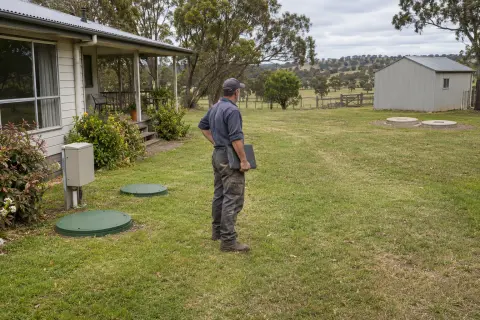
Create a customer with two sites, then put more than one system at one site. Book a job against the correct tank. Check how the technician sees the difference and where the next-service date belongs.
That small exercise exposes a lot. If every tank needs another duplicate customer, your office will be managing that workaround for years. If service history belongs only to the customer’s name, it may be hard to tell which system was actually inspected.
Try searching by address and phone number as well as name. Staff taking a call rarely receive a neatly formatted customer number. Give them a correction to make and see whether it is saved on the right record.
Run the visit
Assign the job, change the time and inspect what reaches the field app. The technician needs current access notes and the form for that work, without reading every old job note.
Test poor coverage properly. After preparing the assigned work, disconnect the phone and complete the steps your crew normally needs: readings, photos, notes and sign-off. Reconnect and inspect the saved result in the office. Ask what happens if a sync fails or a photo is still waiting to upload.
Check how unfinished work comes back. A damaged lid needs follow-up after the routine visit is closed. You should be able to find the fault later without remembering which technician photographed it.
Follow the paperwork
If your business reports to councils, use the actual form and delivery requirements for a council you serve. Ask the vendor to show how the report is prepared, checked and issued. Then ask what happens when delivery fails or the council rejects it.
A PDF export may be useful, but it doesn’t tell you whether someone has submitted it. If the council requires a portal upload, find out which steps remain manual and how the receipt is recorded. Our wastewater management page describes that distinction in Rangefront Waste.
Ask about old versions too. Change the site’s contact details after a report has been issued, then reopen the report. You need to understand whether the old document stays as sent.
Finish with the money
Build an invoice from the completed job. Check your normal volume, travel and material charges, then follow the invoice into the accounting package. Test the process your office intends to use, including sending invoices from Xero if that’s your preference.
Ask what the price includes for your actual team and workload. Count office staff and seasonal technicians, then include texts, setup, support and any optional services. Use the vendor’s current written pricing instead of a number remembered from an earlier comparison.
Plan the exit before entry
Request a sample export of customers, sites, systems and history. Ask which attachments and issued documents are included, and how you’ll retrieve them if you leave. A spreadsheet of names won’t replace years of reports.
Give the final shortlist the same test jobs. Record the workarounds, the steps that need staff review and any claims you still haven’t seen demonstrated. Choose based on the work your business repeatedly does.
The Rangefront Waste demo uses sample records, so you can inspect the office workflow without uploading customer data. Use the trial to test your own process, then compare the current plans and prepare the switching checklist before bringing the team across.