Features
Everything a septic and wastewater business runs on, from the first call to the council report, with an assistant that knows your records and does the busywork for you to check.
An assistant that knows your business.
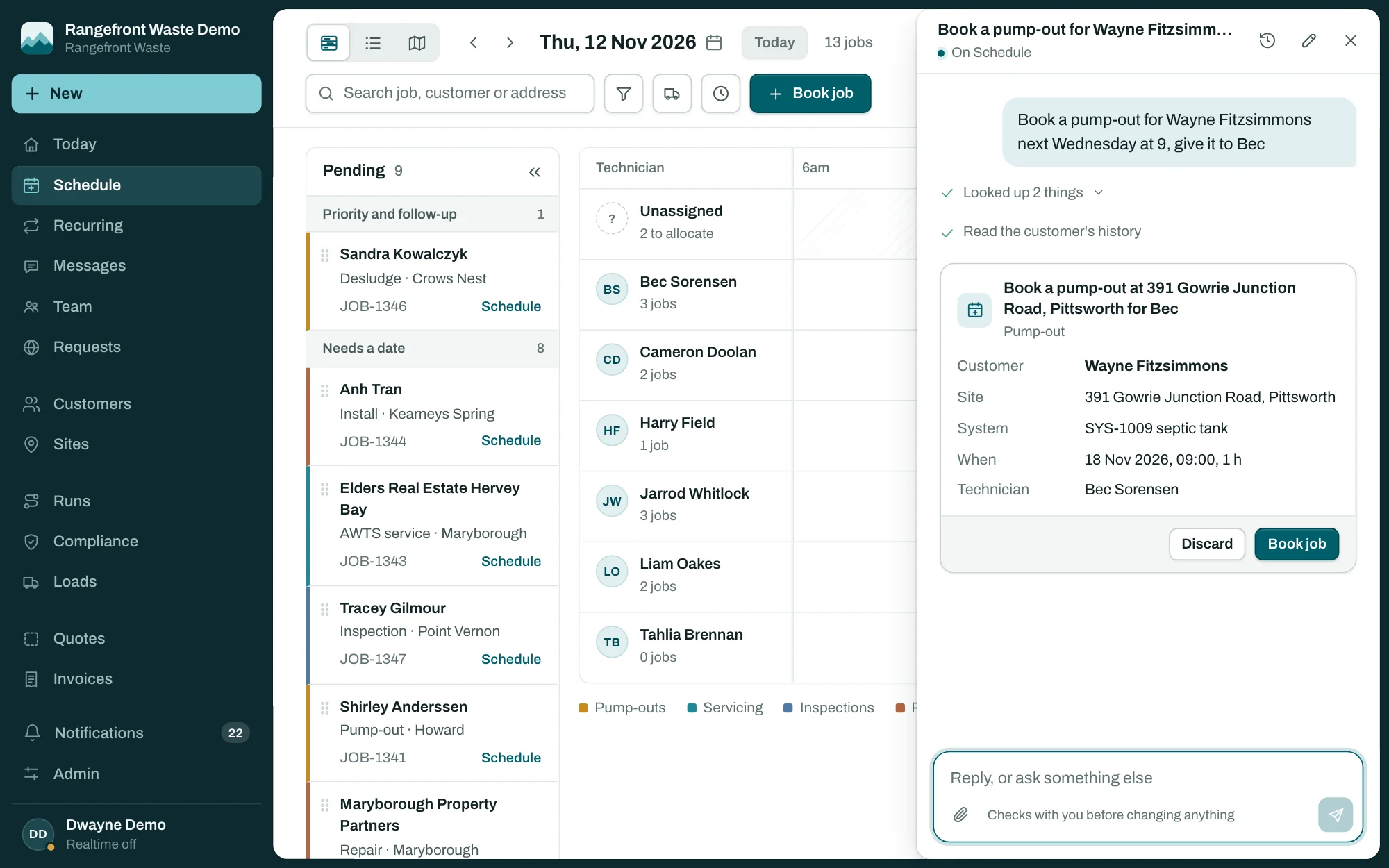
Ask it anything from any page. It reads the guide, looks through your own jobs, customers and tanks, and gets work ready for you to check. When something should change, it shows you a card first. Nothing is saved until you confirm it.
- Answers how-to questions from the guide, and links the page it used
- Counts today's jobs, finds what's due and who has nothing booked
- Books a job from one sentence, like "pump-out for the Hallams next Tuesday at 8"
- Groups waiting work into day runs and books the one you pick
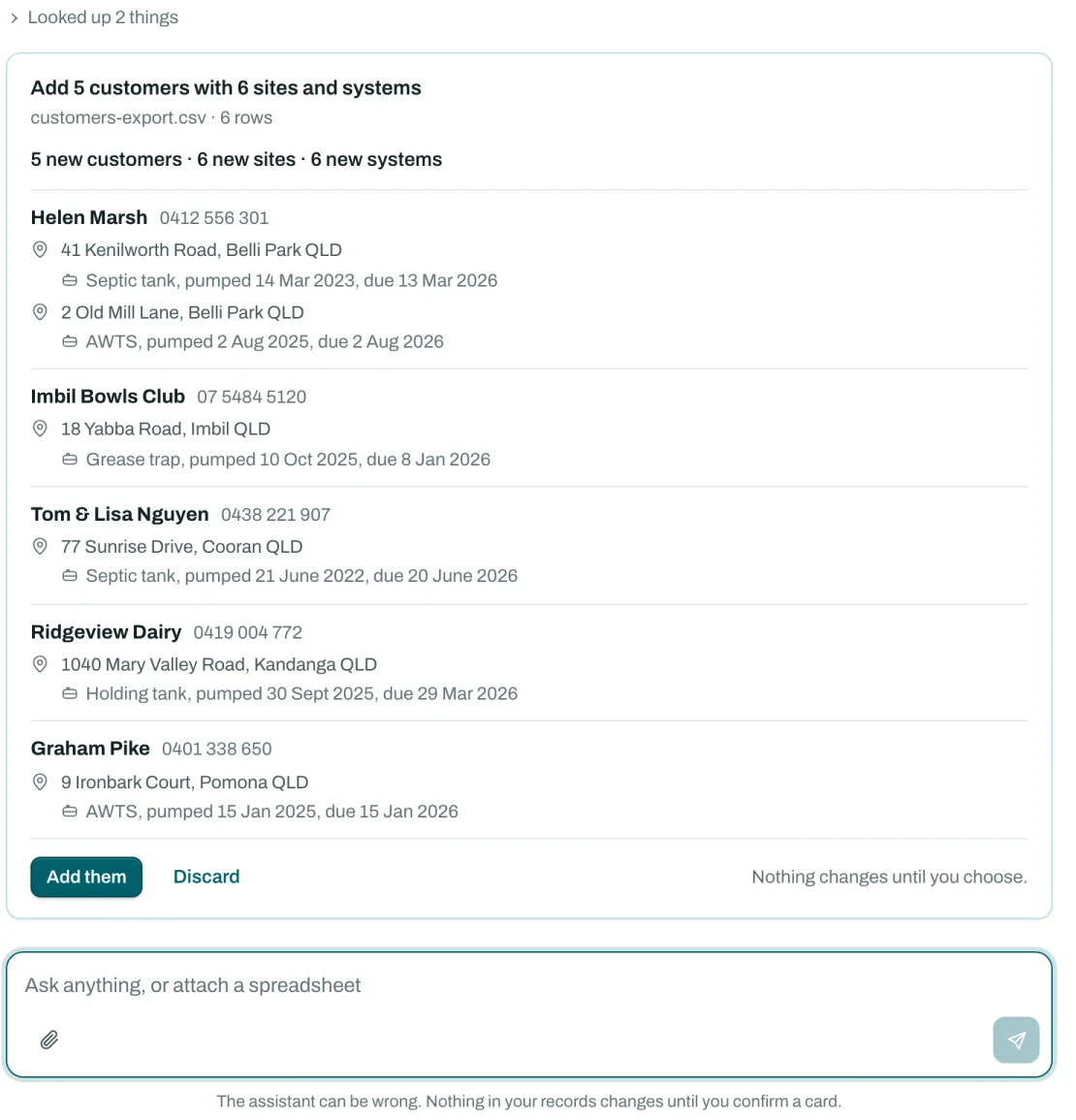
- Turns your old system's spreadsheet into customers, sites and tanks
- Links every record it mentions, so one click opens it
- 1
Ask
Type it the way you'd say it. Open it from any page with the Ask button, or Cmd J.
- 2
Check
It shows what it would add or book: counts, a preview, and any rows that need a look.
- 3
Confirm
Choose Book job, Add them or Book run. Imports can be undone with one click.
Set up by talking it through.
A new business can skip the forms. Attach the export from your current system or a spreadsheet, and the assistant reads the columns, merges repeat customers, matches anyone already in, reads Australian dates and works out when each tank is next due.
- One customer with three properties becomes one customer with three sites
- Pump-out every 3 years and last pumped 14/03/2023 becomes due 13 Mar 2026
- AWTS, aerated plant or treatment plant all land as the right system type
- Numbers come from your own series, or keep the IDs from your old system
Schedule
Every job, every technician, one board.
Day, week and month boards per technician, with pump-outs, services, inspections and works in their own colours. Drafts are dashed, cancelled jobs struck through, and work waiting for a date sits beside the board to drag on.
- Systems falling due raise draft visits on their own
- Recurring plans book quarterly AWTS services and repeat pump-outs
- Customers confirm by text, and YES marks the job confirmed
- Private calendar links for Outlook, Google and Apple
Booking
Book the job while they're still on the phone.
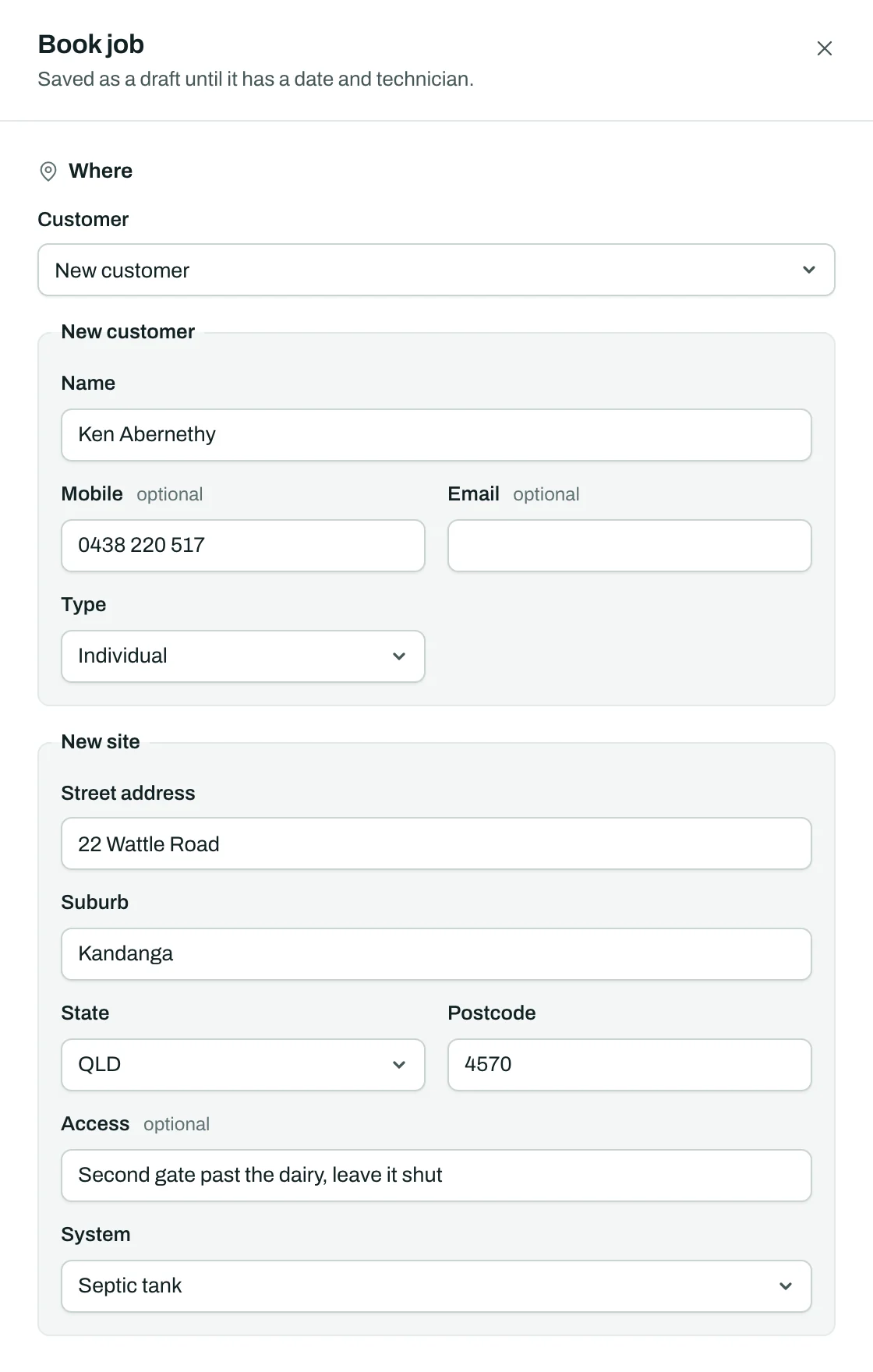
Search by name or phone number. Someone new? Add them, their address and their tank in the same form, and the job is booked against all three. Only that customer's sites are offered, so nobody books the wrong place.
- Addresses picked as you type, with suburb, state and postcode filled in
- Gate codes and dogs noted on the site and carried onto the job
- Book job from any site or tank starts with it already chosen
- Or type it as a sentence and let the assistant fill it in for you to check
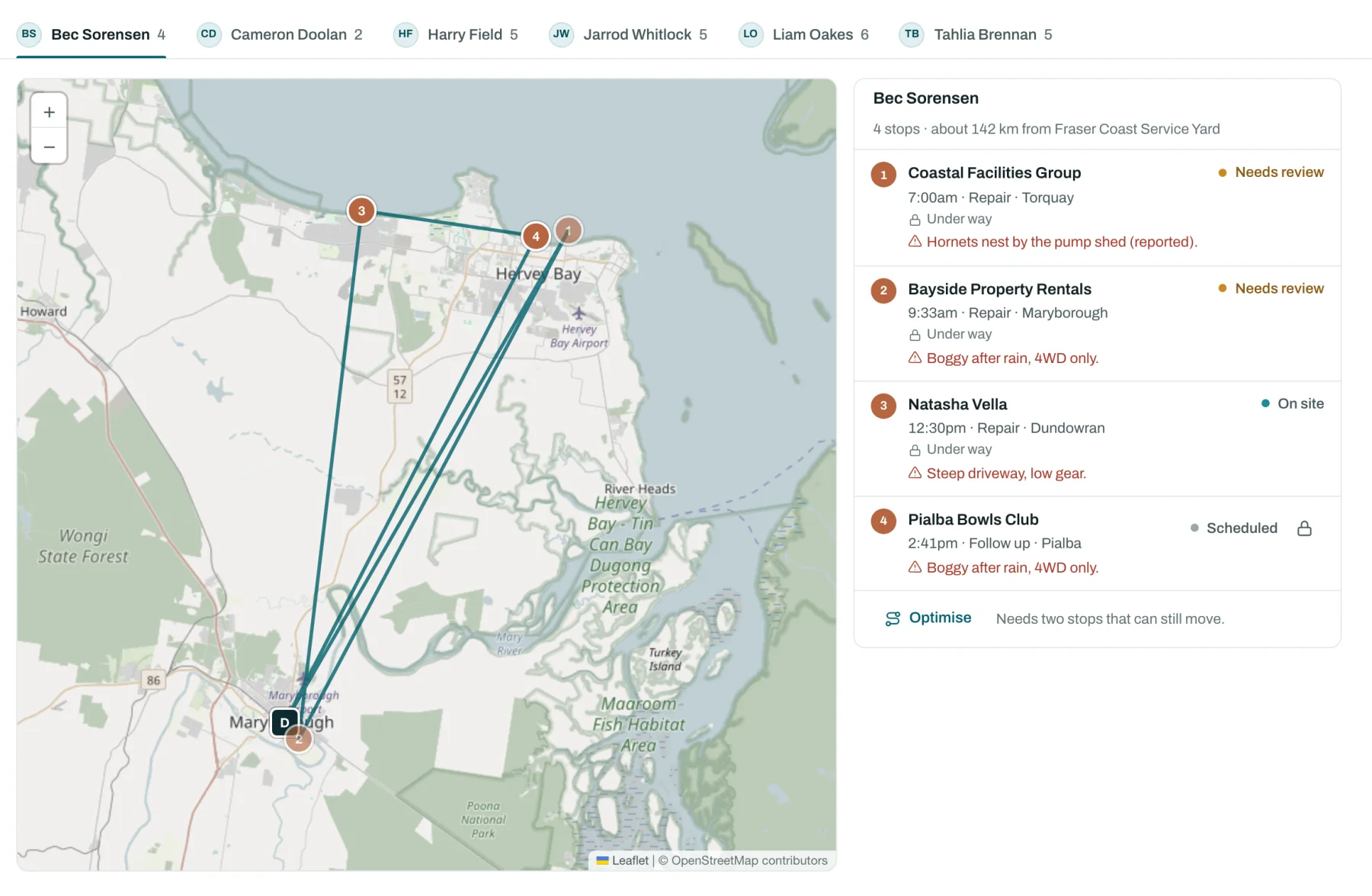
Runs
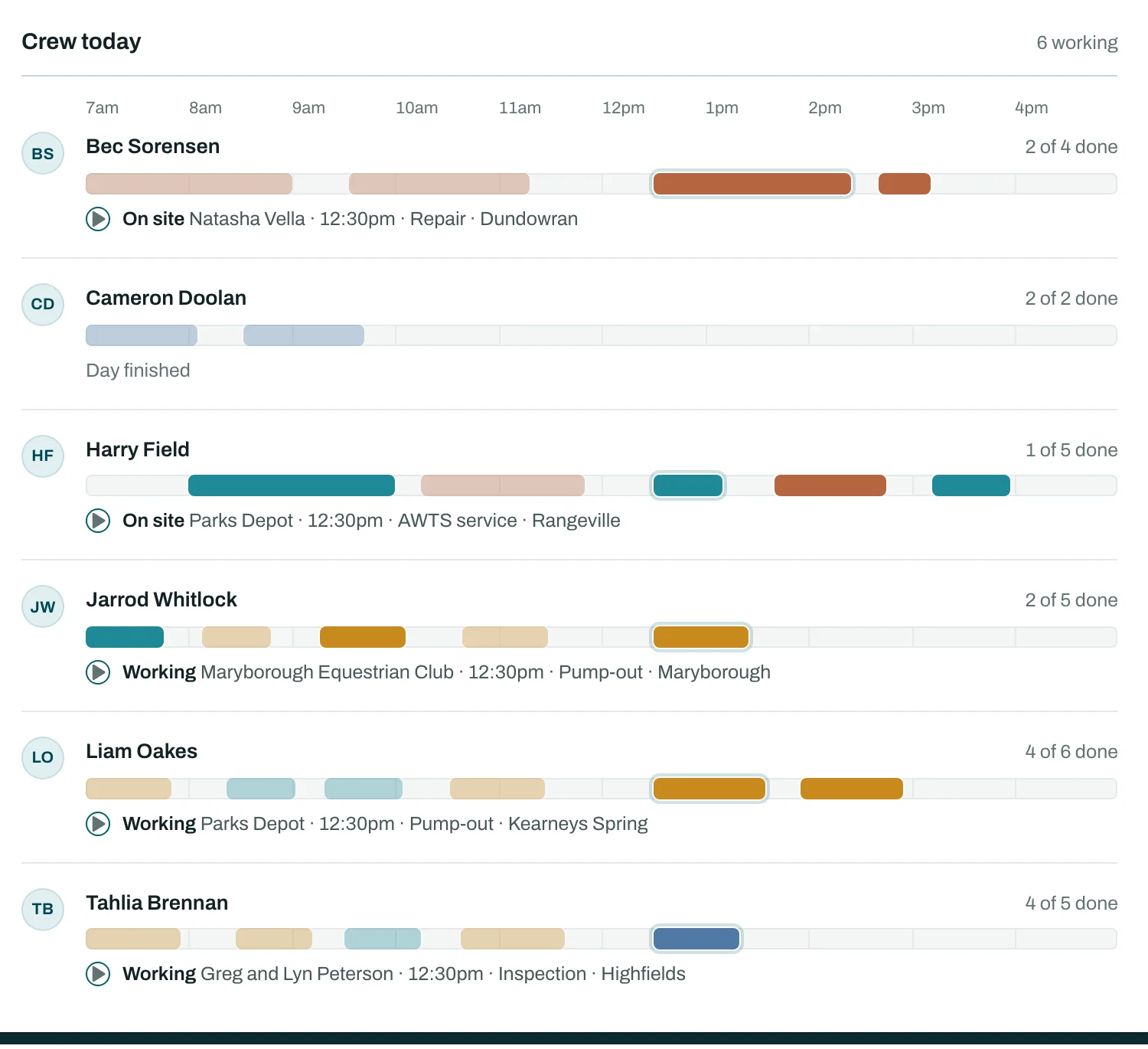
Plan the week in a few clicks.
The run builder groups waiting work by area into day runs, puts each in driving order from your depot and books it to a technician with arrival times. Hazards and access notes ride along on every stop.
- Fixed-time stops stay put when the rest is reordered
- Print the run sheet or send it to the technician's phone
- Live positions and an On my way link for the customer
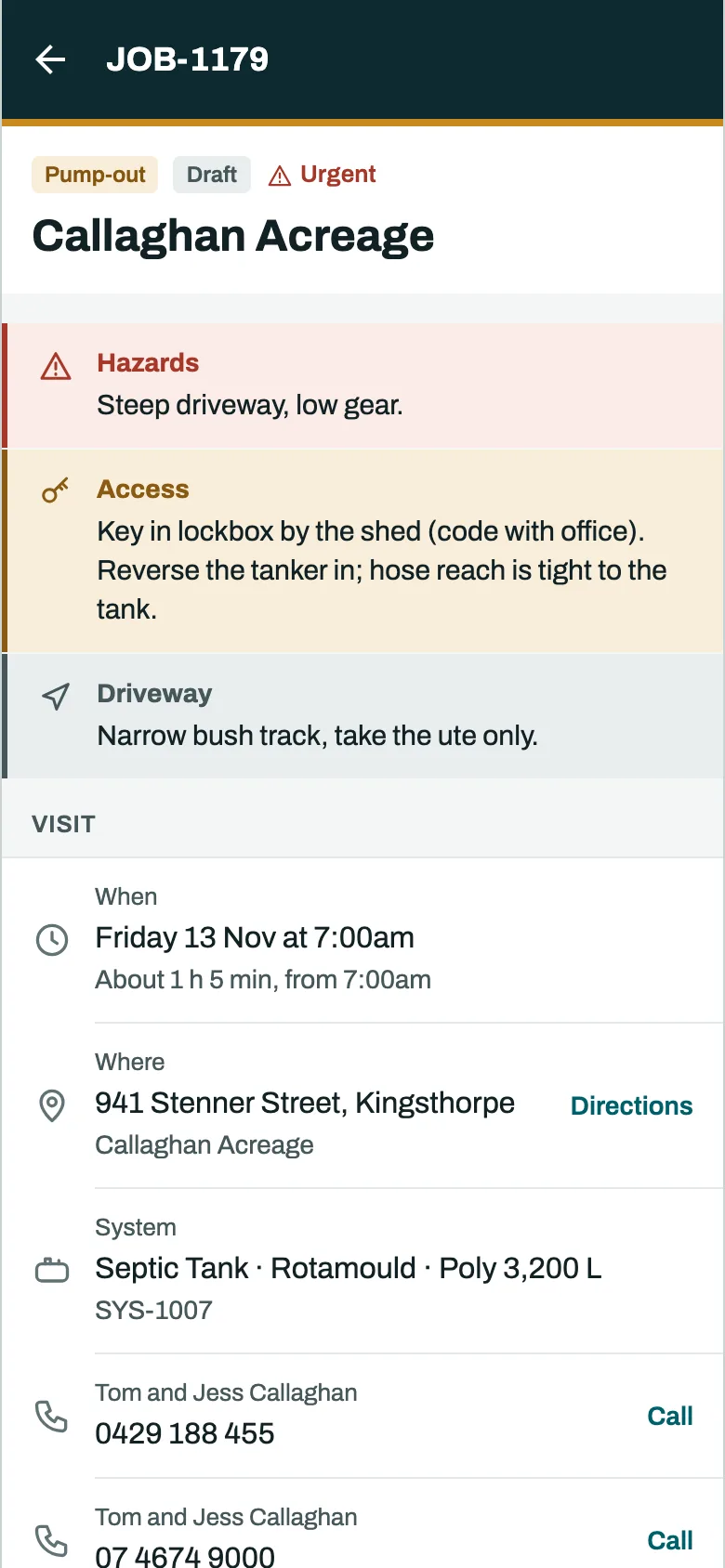
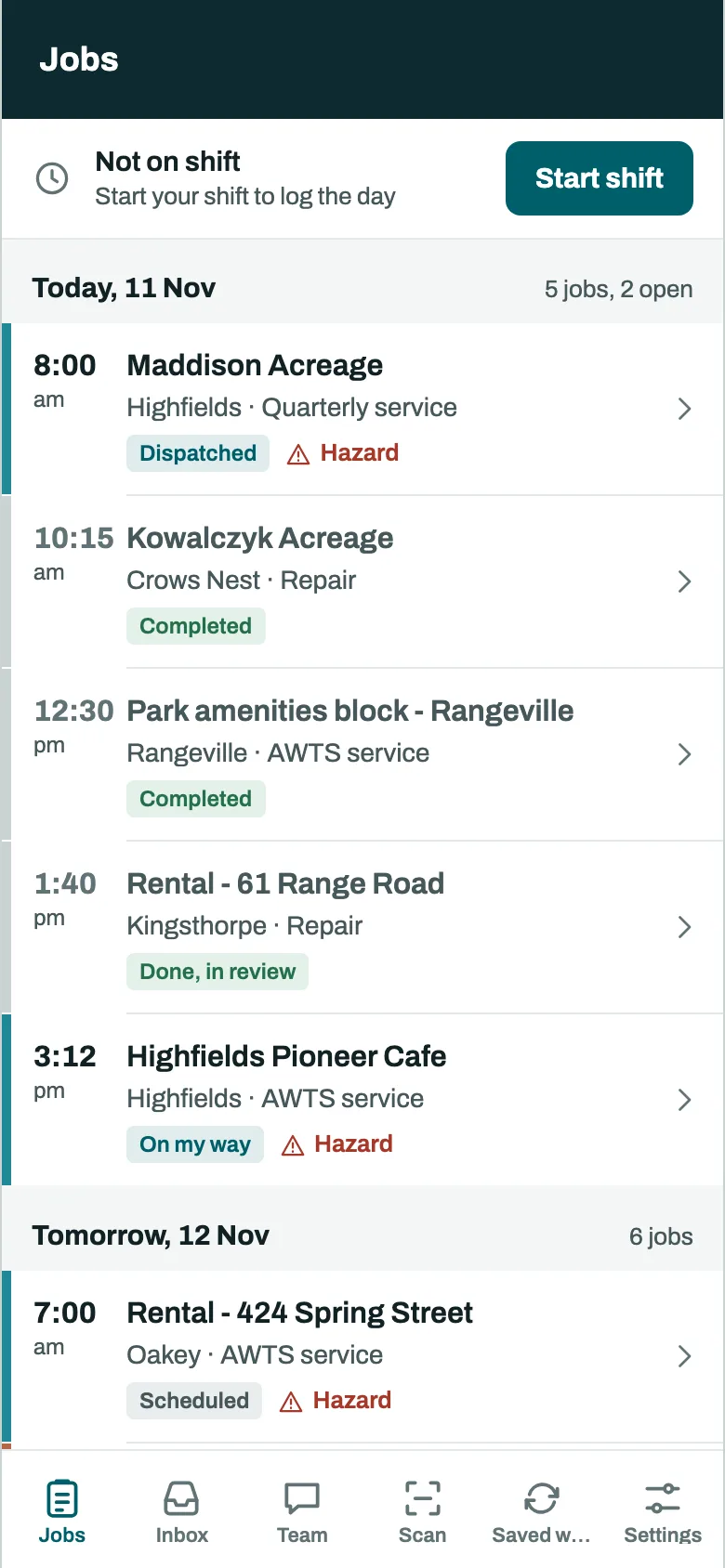
A field app built for the truck.
Technicians get their day on an iPhone or Android phone, with hazard notes, directions, the council's forms, photos and signatures. It keeps working without signal and syncs when the truck is back in range.
- QR tags bind a tank to its record
- Defects logged on site, with photos marked up
- Notes tidied by AI, with the original kept
- Timesheets from the jobs themselves
Compliance
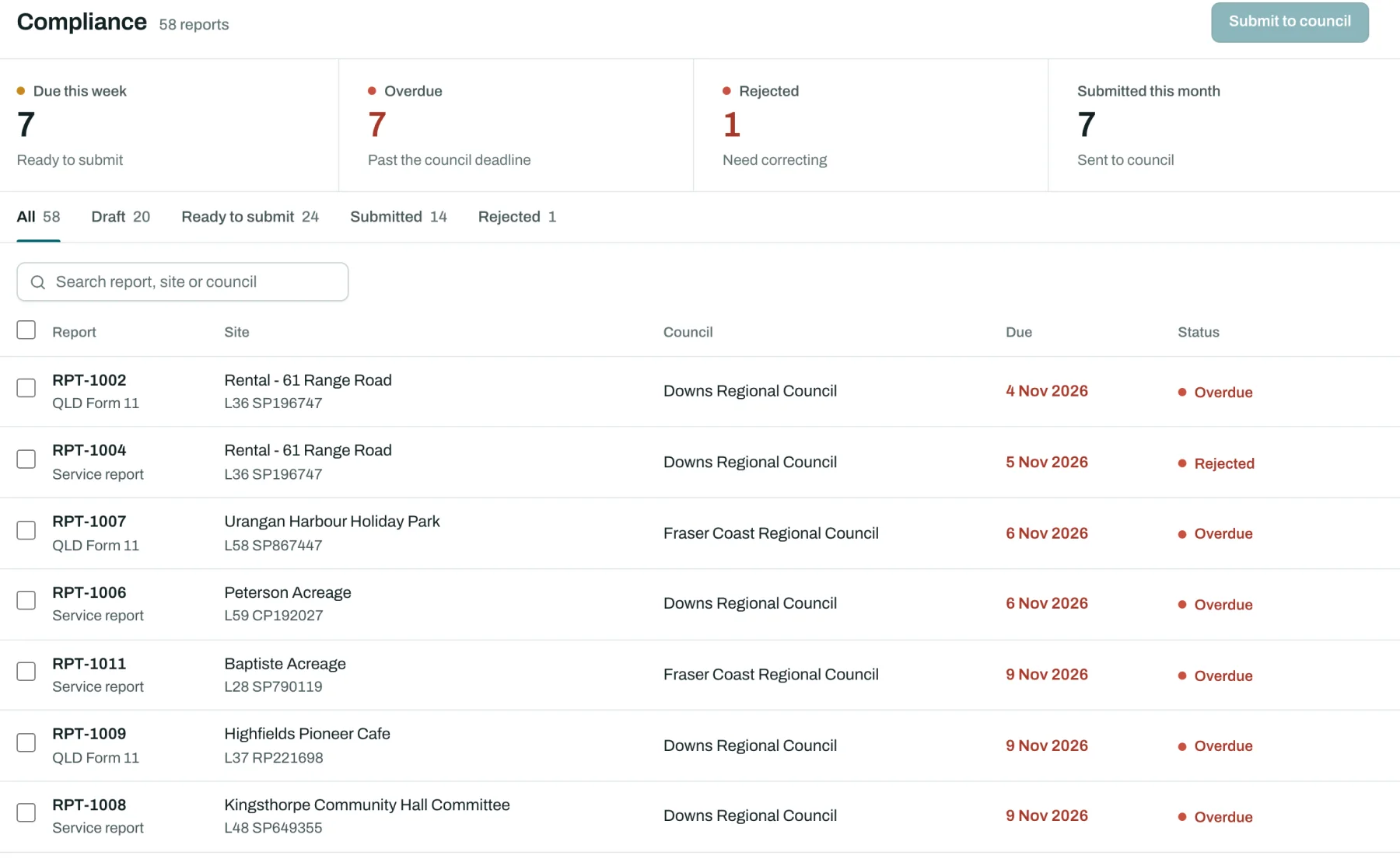
Council reports that send themselves.
Service reports, Form 11s and commissioning certificates are built from the job, checked against each state's rules and your councils' variations, sent the way the council wants, and kept exactly as sent.
- Rule sets for every state and territory
- Delivery by email, council portal, SFTP or API
- Due dates tracked until the council accepts the report
- A plain-English summary for the owner, drafted for you to edit
Quotes and billing
From quote to paid without retyping.
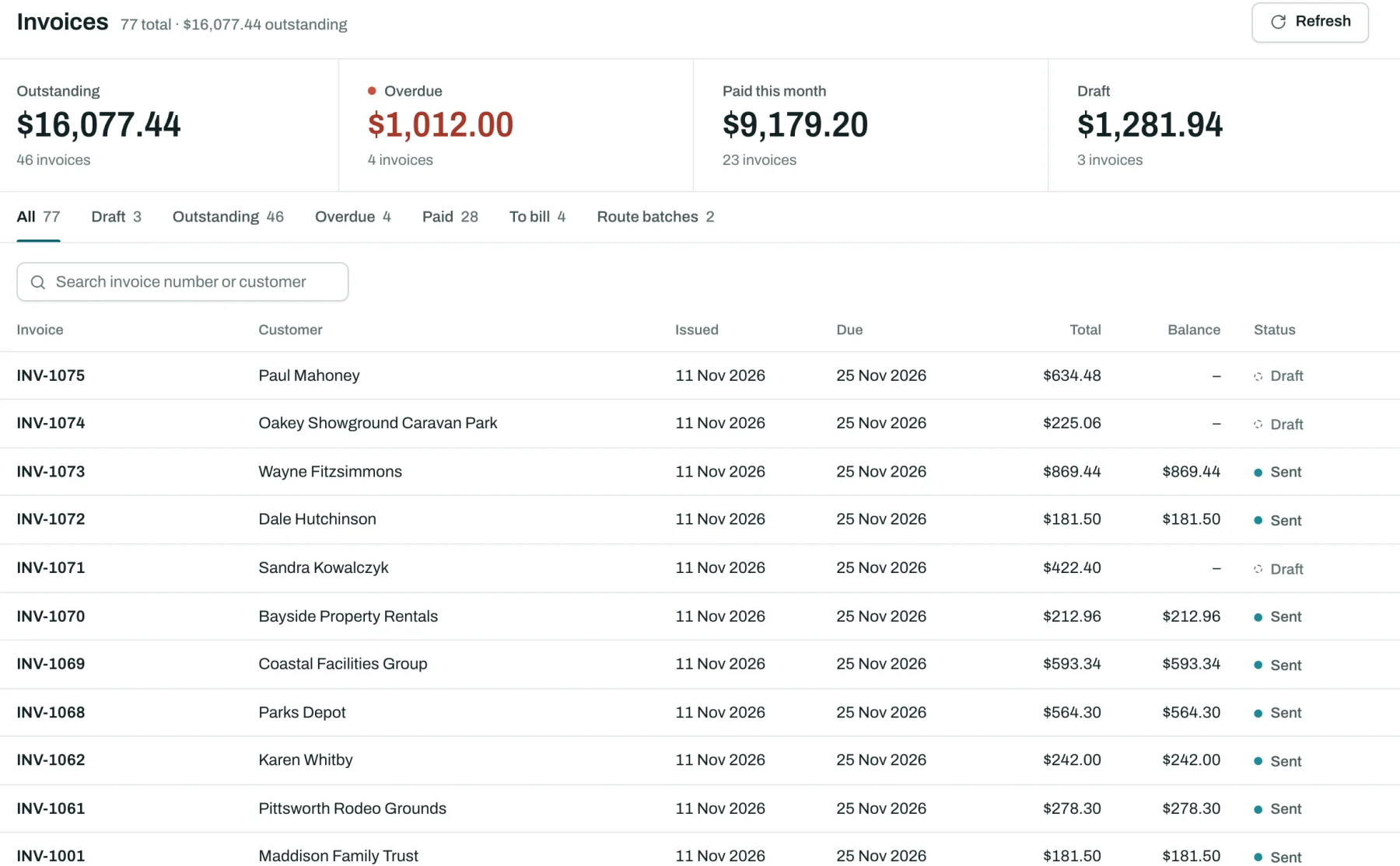
Quotes with options and deposits that customers accept online with a signature. Accepted quotes become jobs, finished jobs become invoices, and pay links take cards through your own Stripe account.
- Quote lines drafted from your price book by AI, for you to check
- Overdue reminders and monthly statements that stop once it's paid
- Xero and QuickBooks Online sync
- Job costing with travel, time and parts, and profit per job
Customers and sites
Every tank, and who it belongs to.
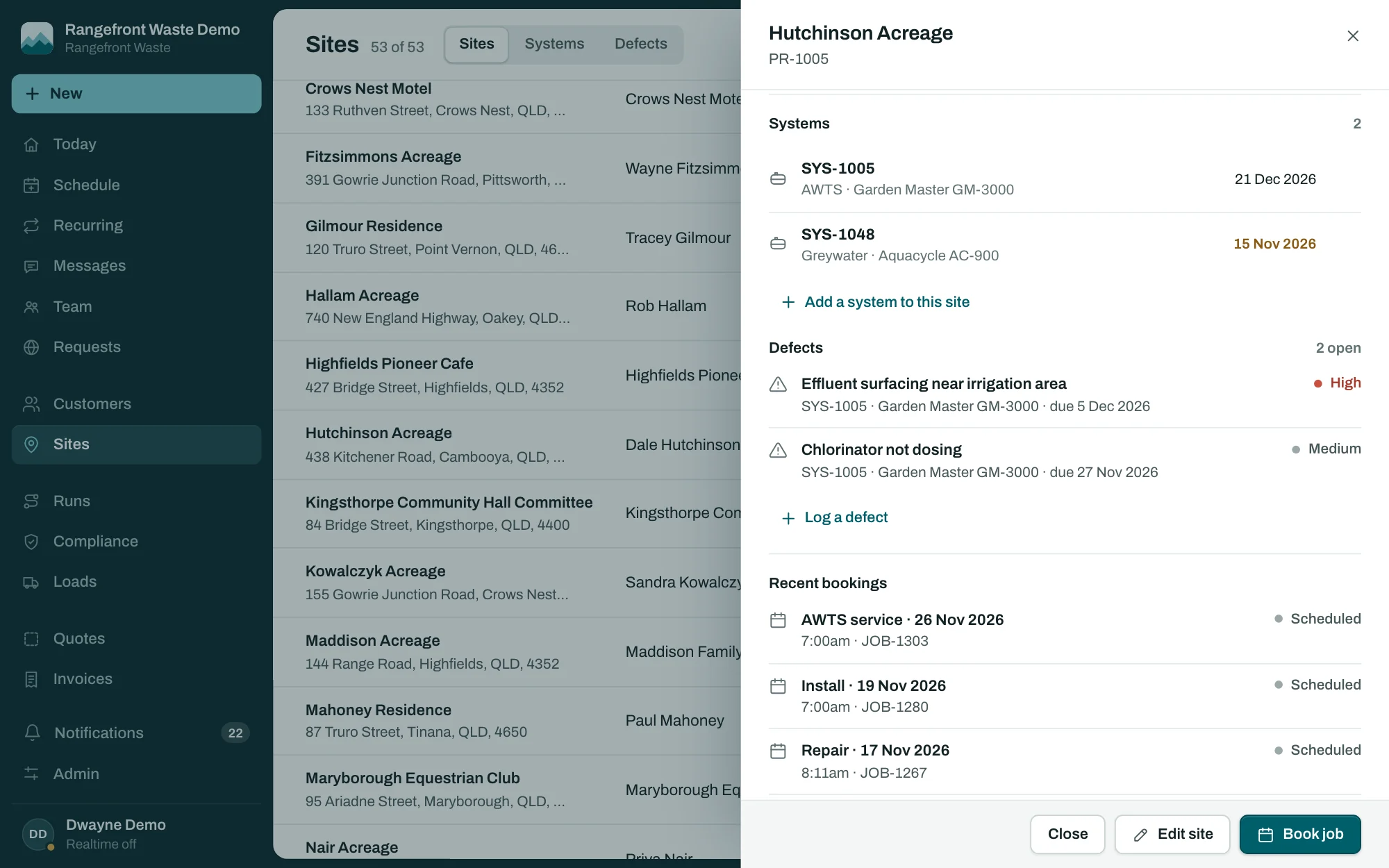
A customer owns sites, a site has systems, and every booking, report and invoice hangs off that chain. Open a site and its tanks, open defects and bookings are all on one page, with Book job at the bottom.
- Open defects shown on the customer, the site and the tank
- Add a customer, their site and their tank from one form
- Addresses picked as you type, and pinned on the map for you
- A private portal for owners to see reports, pay and book
- A booking form for your own website
Everything else
No add-ons and no higher tier, apart from the phone agent. Every business gets all of it.
Talking to customers
- Two-way texts
- Replies land against the customer and the open job.
- Branded email
- Confirmations, reminders, receipts and reports under your name.
- Review requests
- Ask happy customers for a review after the job.
- After-hours phone agent
- Takes bookings and pages whoever's on call. An add-on.
Running the business
- Waste loads
- Loads to the treatment plant with their tracking numbers.
- Timesheets and overtime
- Hours from the field app, overtime worked out.
- Defects
- Shown on the customer, site and tank until someone books the repair.
- Branded documents
- Your logo and wording on every report and invoice.
Your data and your team
- Imports
- Tradify, or a spreadsheet from ServiceM8 or anything else, with a dry run first.
- Roles and permissions
- Office, dispatch and technicians see what they need.
- Audit log
- Who changed what, and when.
- API, webhooks and plugins
- Connect your own tools, or extend the app.
Try it with your own jobs.
Fifteen days free with your customers, your councils and your crew. Add a card to start, and cancel before day 16 if it's not for you.